1. http://www.facebook.com/topic.php?uid=6723083591&topic=16344
Download recatux 0.21 and update the GRUB. You can download recatux from here
2. Boot problem in Grub webpage
3. check md5sum your iso file like this
![[원인과 결과]](https://blogger.googleusercontent.com/img/b/R29vZ2xl/AVvXsEhjOBaiuB8-3-39NxlQh5cUfkAogVG9NUlR8Zc9dbdzrbkEXvgWEJDKaaDYBiv_ZcBfmtpY088Pc6_jnzwQUbbMZxadhuv_pWqiAClJe1_EjBM3blBNQy6nDBNHXm6RF6WvJq-GtA/s1600-r/box2.gif)
Wednesday, April 13, 2011


Thursday, March 17, 2011
exchange caps_key into ctrl using xmodmap
!
! Swap Caps_Lock and Control_L
!
remove Lock = Caps_Lock
remove Control = Control_L
keysym Control_L = Caps_Lock
keysym Caps_Lock = Control_L
add Lock = Caps_Lock
add Control = Control_L
you had better save .xmodmap in ~/
at first, in command window, xmodmap .xmodmap
! Swap Caps_Lock and Control_L
!
remove Lock = Caps_Lock
remove Control = Control_L
keysym Control_L = Caps_Lock
keysym Caps_Lock = Control_L
add Lock = Caps_Lock
add Control = Control_L
you had better save .xmodmap in ~/
at first, in command window, xmodmap .xmodmap
Saturday, January 15, 2011
korean radio station streaming address
http://blog.naver.com/PostView.nhn?blogId=y1220711&logNo=140100470924&re...
FStream으로 iPhone, iPod에서 라디오 들을 수 있게 주소를 올려두었네요.
굉장히 많은 주소들, 다양한 음악들 정성이 대단합니다.
고맙습니다. 보노님 짱 !
저는 cbs 음악 FM 듣고 있는데 잘 되네요.
mplayer mms://widget.cbs.co.kr/cbs939_live
mbc 91.9 MHz mms://minimbc.imbc.com/imbcMFM
febc AM mms://live.febc.or.kr/LiveAM
febc FM mms://live.febc.or.kr/LiveFM
cgntv http://radio.cgntv.net/24CCM/radiosrc.asp
FStream으로 iPhone, iPod에서 라디오 들을 수 있게 주소를 올려두었네요.
굉장히 많은 주소들, 다양한 음악들 정성이 대단합니다.
고맙습니다. 보노님 짱 !
저는 cbs 음악 FM 듣고 있는데 잘 되네요.
mplayer mms://widget.cbs.co.kr/cbs939_live
mbc 91.9 MHz mms://minimbc.imbc.com/imbcMFM
febc AM mms://live.febc.or.kr/LiveAM
febc FM mms://live.febc.or.kr/LiveFM
cgntv http://radio.cgntv.net/24CCM/radiosrc.asp
installing ko.tex in Ubuntu
$ sudo apt-get intsall texlive (or texlive-full :: full version)
$ sudo apt-get install ko.tex
$ sudo texhash
$ updmap-sys --enable Map=kotex-base.map
$ updmap-sys --enable Map=kotex-extra.map
$ sudo apt-get install ko.tex
$ sudo texhash
$ updmap-sys --enable Map=kotex-base.map
$ updmap-sys --enable Map=kotex-extra.map
Monday, December 27, 2010
우분투에서 docky를 사용할때 검은영역 없애기
1. 실행창 : gconf-editor
2. apps - metacity - general - compositing_manager (check)
3. run docky
2. apps - metacity - general - compositing_manager (check)
3. run docky
Tuesday, October 26, 2010
그래프 겹쳐그리기 in python

1. 그래프 겹쳐그리기에 관한 글을 읽고 python으로 구현 이 글은 2.여기에서 참고함. 링크 1에 가보면 두개의 크기가 다른 벡터가 있다. 이것을 python으로 한 그래프에 표현할려면import matplotlib.pylab as pl
ax1 = pl.subplot(111)
t = [1.,2.,3.,4.]
aa=[11.4, 12.7, 13.1, 14.56]
pl.plot(t, aa, 'b-o',label="aa")
pl.text(3,14.7,"<--------------- ------------------="" 2.2="" 3.54="" 4.0="" aa="" ax2="pl.twinx()" bb="" horizontalalignment="right" label="bb" no="" pl.plot="" pl.show="" pl.text="" pl.xlabel="" pl.ylabel="" r-s="" t="" verticalalignment="top">",verticalalignment='top', horizontalalignment='left') pl.ylabel('bb')
<--------------- ------------------="" 2.2="" 3.54="" 4.0="" aa="" ax2="pl.twinx()" bb="" horizontalalignment="right" label="bb" no="" pl.plot="" pl.show="" pl.text="" pl.xlabel="" pl.ylabel="" r-s="" t="" verticalalignment="top">ax2.yaxis.tick_right()
<--------------- ------------------="" 2.2="" 3.54="" 4.0="" aa="" ax2="pl.twinx()" bb="" horizontalalignment="right" label="bb" no="" pl.plot="" pl.show="" pl.text="" pl.xlabel="" pl.ylabel="" r-s="" t="" verticalalignment="top">pl.show()
<--------------- ------------------="" 2.2="" 3.54="" 4.0="" aa="" ax2="pl.twinx()" bb="" horizontalalignment="right" label="bb" no="" pl.plot="" pl.show="" pl.text="" pl.xlabel="" pl.ylabel="" r-s="" t="" verticalalignment="top">
Thursday, October 21, 2010
openoffice powerpoint에 youtube 동영상 삽입하기
파워포인터에 관한 글을 읽다가 오픈오피스에서는 안될까해서 해보았어요


내 동영상 파일을 ppt에 삽입하는 것은 [ 삽입(I) - 동영상 및 사운드 ]를 선택해서 넣으면 된다.
파일 크기가 100메가 정도되는 파일은 가볍게 실행이된다.
(대체로 영화파일 크기인 700메가 이상은 실행이 안된다.)
그럼 youtube의 동영상을 삽입하는 것은?


그림처럼 [ 삽입(I) - 하이퍼링크 - 새문서 - HTML문서 ]로 들어간다.
미리 만들어둔 foo.html 문서를 [경로선택] 버튼을 눌러서 삽입한다.
foo.html 은 youtube에서 [소스코드]를 누르면 나오는

이런 파일을 foo.html로 저장하면된다.
단, 인터넷이 연결된 상태에만 실행이 가능하다.
Wednesday, October 06, 2010
publishing org file into pdf using org-mode
Using org-mode it is difficult to manage accumulated files.
C-c C-e then you can choose following commands

click for zoomed picture
C-c C-e then you can choose following commands

click for zoomed picture
Monday, September 13, 2010
twittering on emacs

http://www.emacswiki.org/emacs/TwitteringMode
Have you heard about twittering using emacs ?
I found the twitteringmode.el on the twitter.
and I setted up the twitteringmode my emacs.
I works very well.
Friday, July 30, 2010
usb mount on linux(ubuntu)
sudo fdisk -l
// you can adjust your device name using fdisk -l ...
// fat file format
sudo mount -t vfat /dev/sdb1 /media/extusb -o utf8
// ntfs file format
sudo mount -t ntfs-3g /dev/sdb1 /media/extusb
//unmount
sudo umount /dev/sdb1
//or
sudo umount /media/extusb
// you can adjust your device name using fdisk -l ...
// fat file format
sudo mount -t vfat /dev/sdb1 /media/extusb -o utf8
// ntfs file format
sudo mount -t ntfs-3g /dev/sdb1 /media/extusb
//unmount
sudo umount /dev/sdb1
//or
sudo umount /media/extusb
Tuesday, July 20, 2010
window maximize on Linux
Would you like to maximize window on Linux ?
I found how to solve this problem.
Alt - Space x
Alt and Space key simultaneously then displays menu from top of window then strike x.
You can use the maximized window(web browser, xterm ....)
Reverse method is same the maximize.
Happy linuxing :)
I found how to solve this problem.
Alt - Space x
Alt and Space key simultaneously then displays menu from top of window then strike x.
You can use the maximized window(web browser, xterm ....)
Reverse method is same the maximize.
Happy linuxing :)
Tuesday, May 18, 2010


Tuesday, March 09, 2010
Monday, February 01, 2010

Friday, January 22, 2010
Monday, January 18, 2010
Makefile in order to converting tex to pdf file

.SUFFIXES : .tex .dvi
TEX = latex
FNAME = mydoc
OBJ1 = $(FNAME).dvi
OBJ2 = $(FNAME).ps
SRC = $(FNAME).tex
TARGET = $(FNAME)
all : $(TARGET)
$(TARGET) : $(OBJ1)
dvips $(OBJ1) -o
ps2pdf $(OBJ2)
new : touch $(SRC) ; $(MAKE)
# dissertation.tex : coverletter.tex conclusion.tex <---- dependence
# to combine a few tex files
Monday, December 28, 2009
emacs + freefem++ mode
I found freefem++ mode file for emacs developed by J. Rafael Rodriguez Galvan. Thanks to you :).
and chibaf.
the site is here, and his file is here.
You have to rename of downloaded file to ff++-mode.el
and you had better modify your .emacs file to
and chibaf.
the site is here, and his file is here.
You have to rename of downloaded file to ff++-mode.el
and you had better modify your .emacs file to
(autoload 'ff++-mode "ff++-mode" "Major mode for editing FreeFem++ code." t).
(add-to-list 'auto-mode-alist '("\\.edp$" . ff++-mode))
Wednesday, December 09, 2009
book standup, you know it?
">
his twitter link
portable, efficient and simple tool for all generation users.
de. http://sshong.com/2513120
his twitter link
portable, efficient and simple tool for all generation users.
de. http://sshong.com/2513120
Monday, November 23, 2009
convert .ps/.pdf to .png files
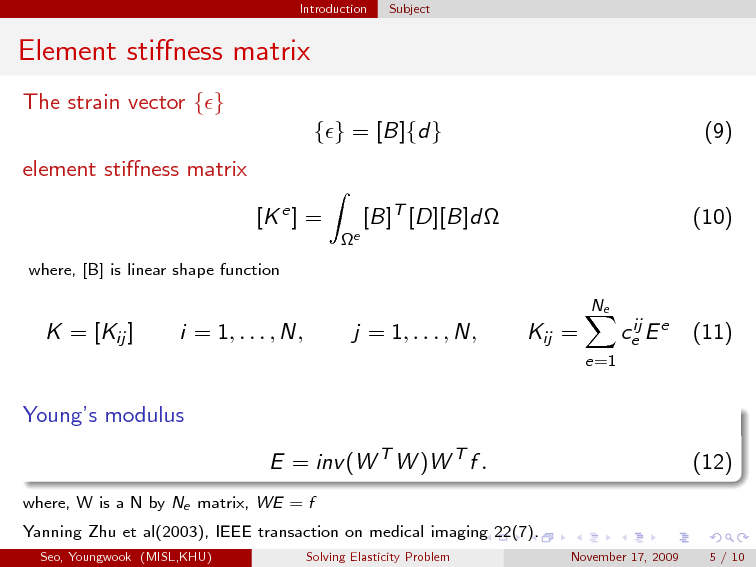
If ImageMagick is installed your OS, we can convert ps/pdf files to .png image files as follows.
convert -density 150 -geometry 100% some-pdf-file.pdf new-name.png
where, -density 150 : resolution
-geometry 100% : resize scale
this is from :
http://kpwu.wordpress.com/2006/01/26/conver-all-ps-to-png-format-by-a-script/
Subscribe to:
Posts (Atom)